Contact Us

If you still have questions or prefer to get help directly from an agent, please submit a request.
We’ll get back to you as soon as possible.

Please fill out the contact form below and we will reply as soon as possible.

  • POS
  • Pay
  • Reservation
  • Order
  • Website
  • English (UK)
    GB English (UK)
    FR French
    DE German
    ES Spanish
    IT Italian
    NL Dutch
    PL Polish
    CS Czech
    SK Slovak
    HU Hungarian
    RO Romanian
    HR Croatian
    PT Portuguese
  • Log in
  • Updates
  • POS
  • Pay
  • Reservation
  • Order
  • Website
  • English (UK)
    GB English (UK)
    FR French
    DE German
    ES Spanish
    IT Italian
    NL Dutch
    PL Polish
    CS Czech
    SK Slovak
    HU Hungarian
    RO Romanian
    HR Croatian
    PT Portuguese
  • Log in
  • Home
  • Reservation
  • Comprehensive guide
  • Settings
  • Reservations

Reservation Integrations Settings- Adding a reservation link to my facebook and instagram Page

Learn how to easily add a reservation link to your Facebook and Instagram Page to drive more bookings and increase your online visibility.

Table of Contents

Instagram Facebook

Follow this guide to place a reservation link at the top of your Instagram and Facebook accounts. This will help you turn your social media visitors into guests who make reservations at your place.

Instagram

  1. Copy the short reservation link from DISH Reservation
    • Access DISH Reservation
    • Go to Integrations
    • Select Standalone Page
    • Copy reservation widget link (ex. https://reserve.dish.co/12345)
  2. Paste the reservation link into your profile on Instagram (from your mobile phone)
    • Login in to your Establishment’s Instagram Page.
    • Tap on Edit profile.
    • Tap Bio and type "Reservations:" (optional)
    • Then tap Add external link.
    • In “URL” paste your reservation widget link
    • In Title add Reservations (optional)
    • Tap Done in order to finish the process.

Need more help? Follow the steps on the screen:

You are all set! You can now receive reservations via Instagram


Facebook

  1. Copy the short reservation link from DISH Reservation
    • Access DISH Reservation
    • Go to Integrations
    • Select Standalone Page
    • Copy reservation widget link (ex. https://reserve.dish.co/12345)
  2. Paste the reservation link into your “About Us” Section on Facebook
  • Login to your Establishment’s Facebook Page.
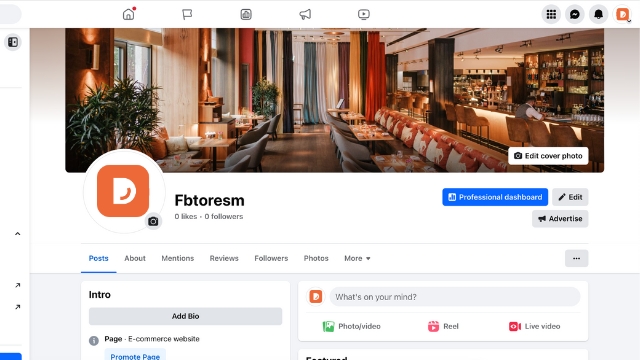
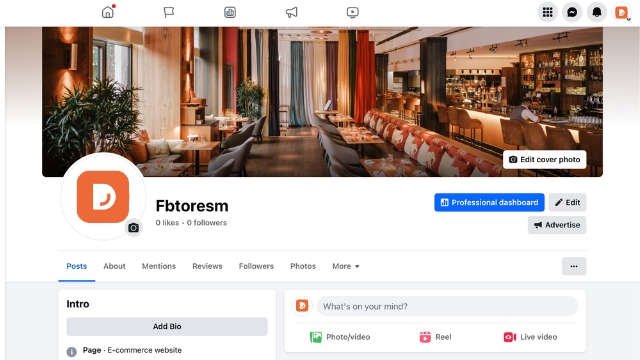
  • Click on Add Bio in the Intro Section.
  • Paste the reservation widget link (ex: Reservations: https://reserve.dish.co/12345)
  • Save your progress.

Facebook users can now easily reserve via this link!

social media reservation link

Was this article helpful?

Yes
No
Give us feedback about this article

Contact Us

If you still have questions or prefer to get help directly from an agent, please submit a request.
We’ll get back to you as soon as possible.

Please fill out the contact form below and we will reply as soon as possible.

Related Articles

  • How to add an order button on Facebook?
  • Mobile device- Logging in DISH reservation through your mobile device
  • Reservation Settings- managing all the reservation settings
Logo DISH
Want to learn more
about our solutions?
Book a demo
App Store
Google Play Store
  • About
  • Contact
  • Sitemap
  • Careers
  • Home
English International
© Copyright dish.co 2025
  • Imprint
  • Terms of Use
  • Privacy Policy
  • Cooperation Partner
  • Privacy Settings
Expand