Contact Us

If you still have questions or prefer to get help directly from an agent, please submit a request.
We’ll get back to you as soon as possible.

Please fill out the contact form below and we will reply as soon as possible.

  • POS
  • Pay
  • Reservation
  • Order
  • Website
  • English (UK)
    CS Czech
    PL Polish
    DE German
    PT Portuguese
    HR Croatian
    NL Dutch
    FR French
    HU Hungarian
    SK Slovak
    IT Italian
    GB English (UK)
    RO Romanian
    ES Spanish
  • Log in
  • Updates
  • POS
  • Pay
  • Reservation
  • Order
  • Website
  • English (UK)
    CS Czech
    PL Polish
    DE German
    PT Portuguese
    HR Croatian
    NL Dutch
    FR French
    HU Hungarian
    SK Slovak
    IT Italian
    GB English (UK)
    RO Romanian
    ES Spanish
  • Log in
  • Home
  • DISH POS Lite 🇩🇪

How can I adjust the number of columns in the POS App?

How can I adjust the number of columns in the Kassa app? Step 1: Log in as the owner. Step 2: Go to settings via the hamburger menu: Step 3: Now go to Menu and Betsel screen in display: Step 4: Under…


How can I adjust the number of columns in the POS app?

Step 1: Log in as the owner.

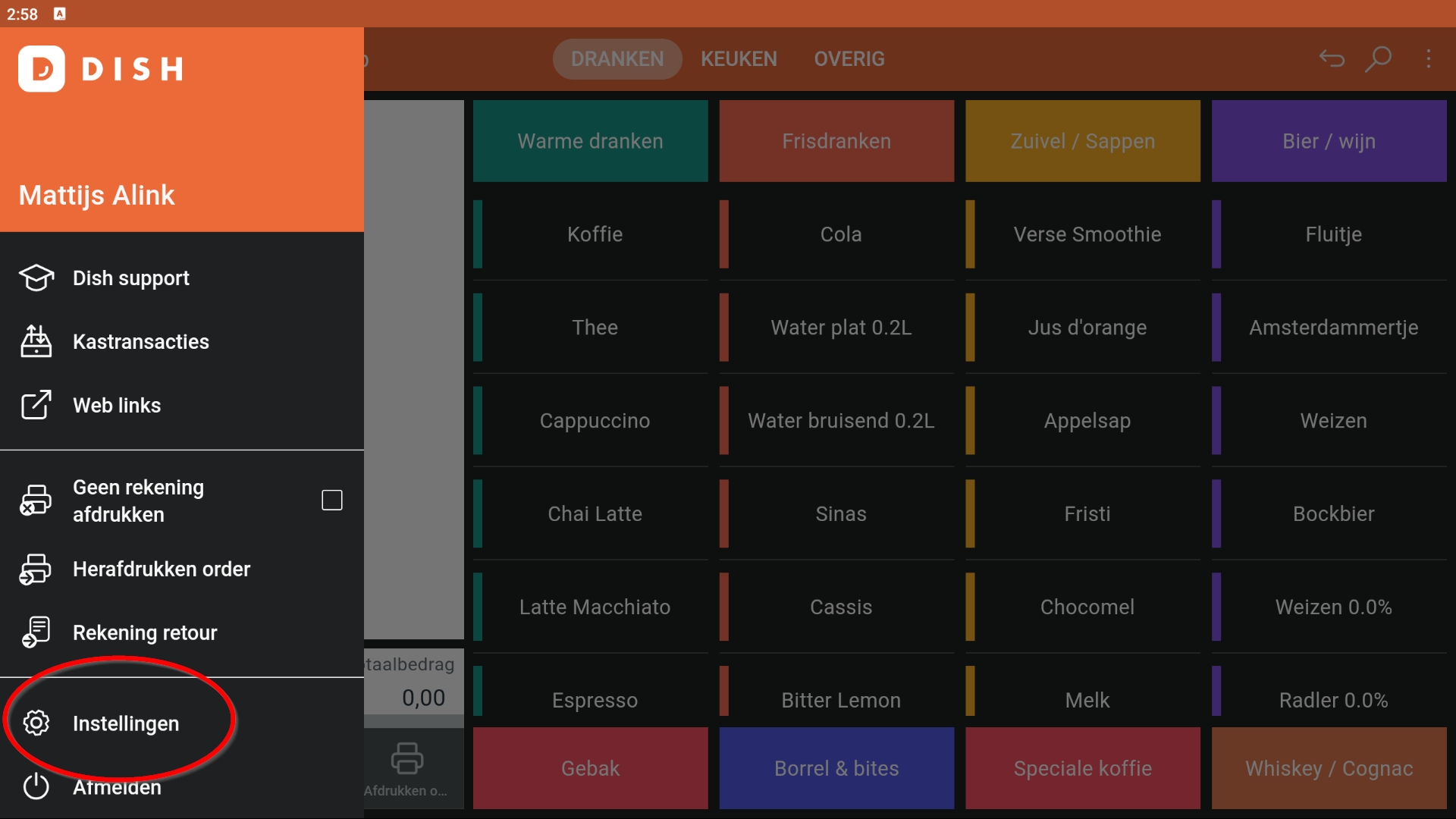
Step 2: Go to settings via the hamburger menu:
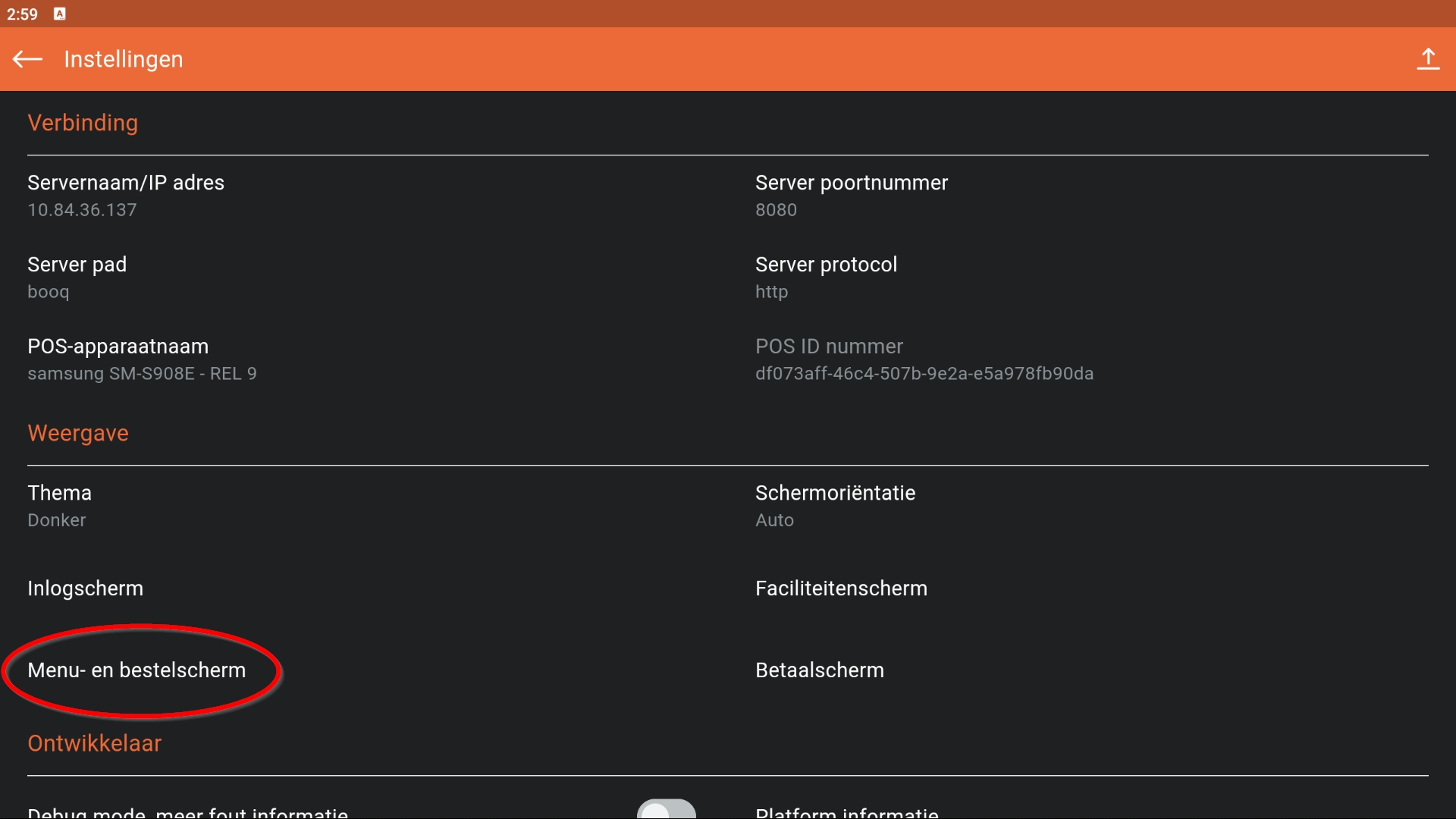
Step 3: Now go to Menu and Betsel screen in display:
Step 4: Under Number of columns you can now use the scroll bar to increase/decrease the number of columns on your screen:
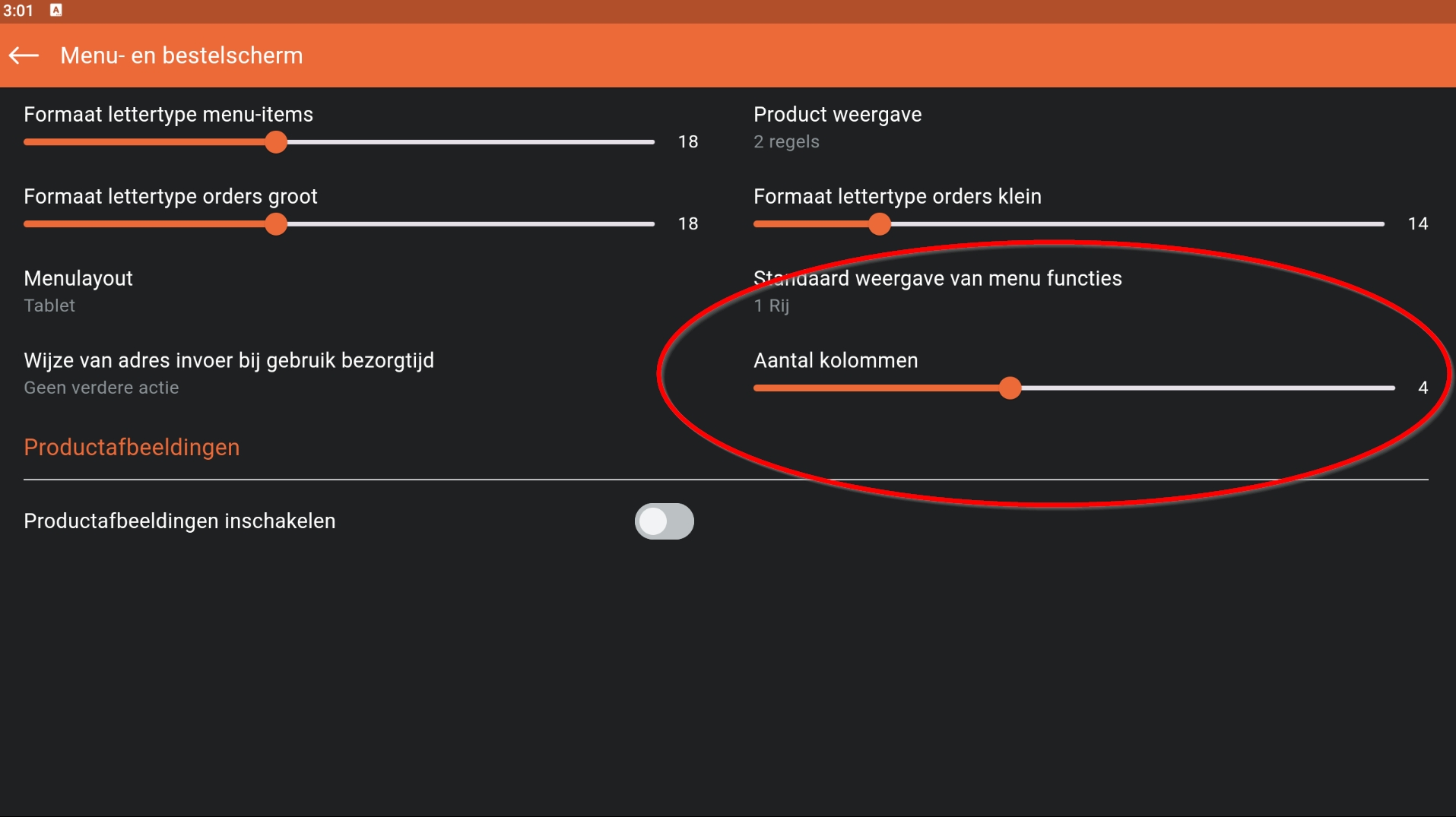
 

layout columns

Was this article helpful?

Yes
No
Give us feedback about this article

Contact Us

If you still have questions or prefer to get help directly from an agent, please submit a request.
We’ll get back to you as soon as possible.

Please fill out the contact form below and we will reply as soon as possible.

Related Articles

  • How do I reopen or delete open orders?
  • DISH POS Lite (DPL) - FAQs
Logo DISH
Want to learn more
about our solutions?
Book a demo
App Store
Google Play Store
  • About
  • Contact
  • Sitemap
  • Careers
  • Home
English International
© Copyright dish.co 2025
  • Imprint
  • Terms of Use
  • Privacy Policy
  • Cooperation Partner
  • Privacy Settings
Expand