1. Activate your account
Congratulations on getting your own DISH Pay Now device ! In this guide, we are going to show you how to go through your DISH Account verification process so you can start processing transactions as…
Table of Contents
Congratulations on getting your own DISH Pay Now device! In this guide, we are going to show you how to go through your DISH Account verification process so you can start processing transactions as soon as possible!
We recommend that you carry out this process with your computer.
Step 1 : Scan the QR code and register
Option 1: Scan the provided QR code. 
Option 2: Visit this URL: www.dish.co/DPN-register
Step 2 : Sign-up to DISH
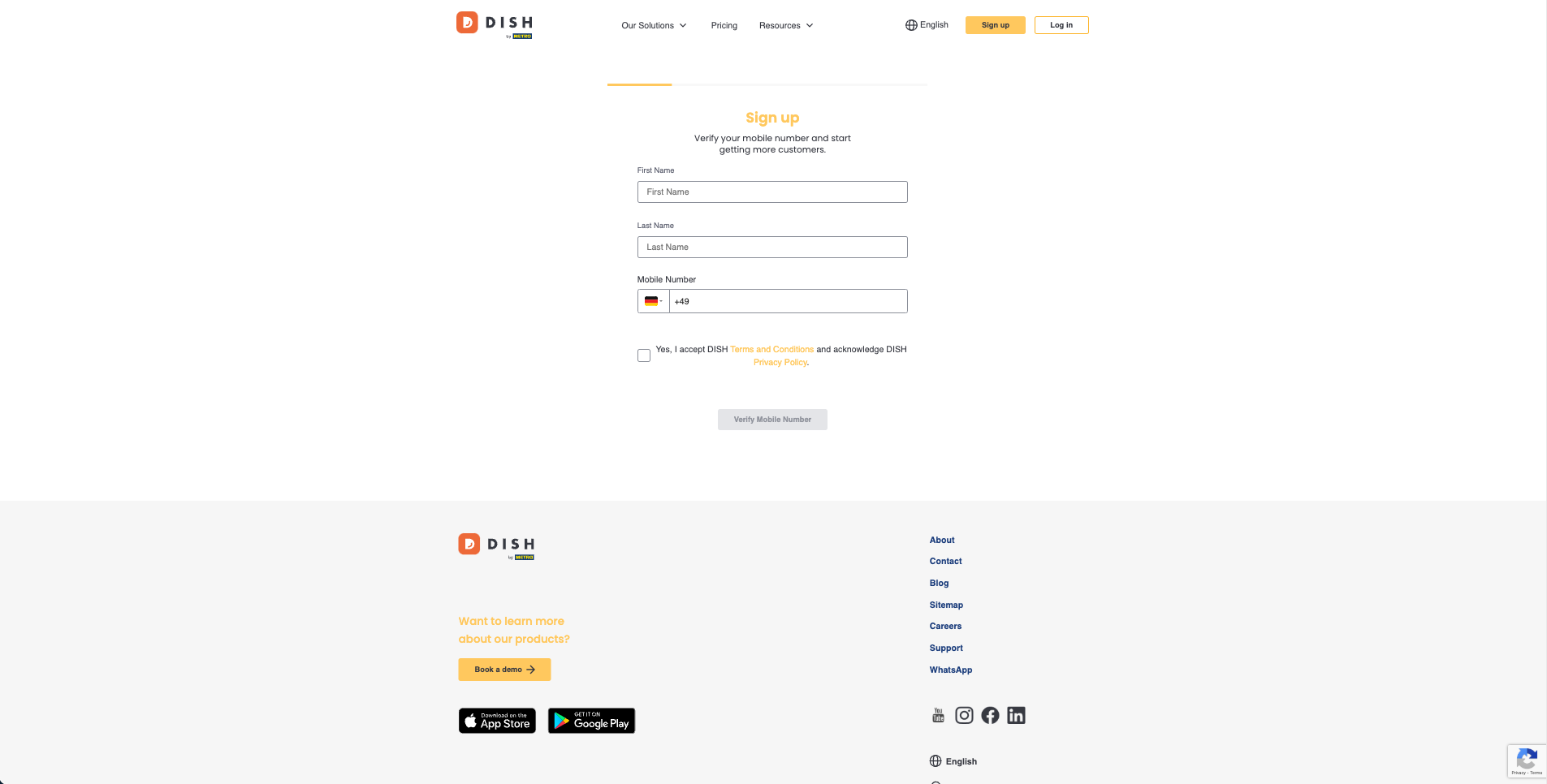
Sign up for DISH:
1) Add your First Name
2) Add your Last Name
3) Add your Mobile Number
4) Choose to accept DISH Terms and Conditions and acknowledge DISH Privacy Policy
5) Press "Verify Mobile Number" (in case you already have a DISH Account, proceed by entering your login details)
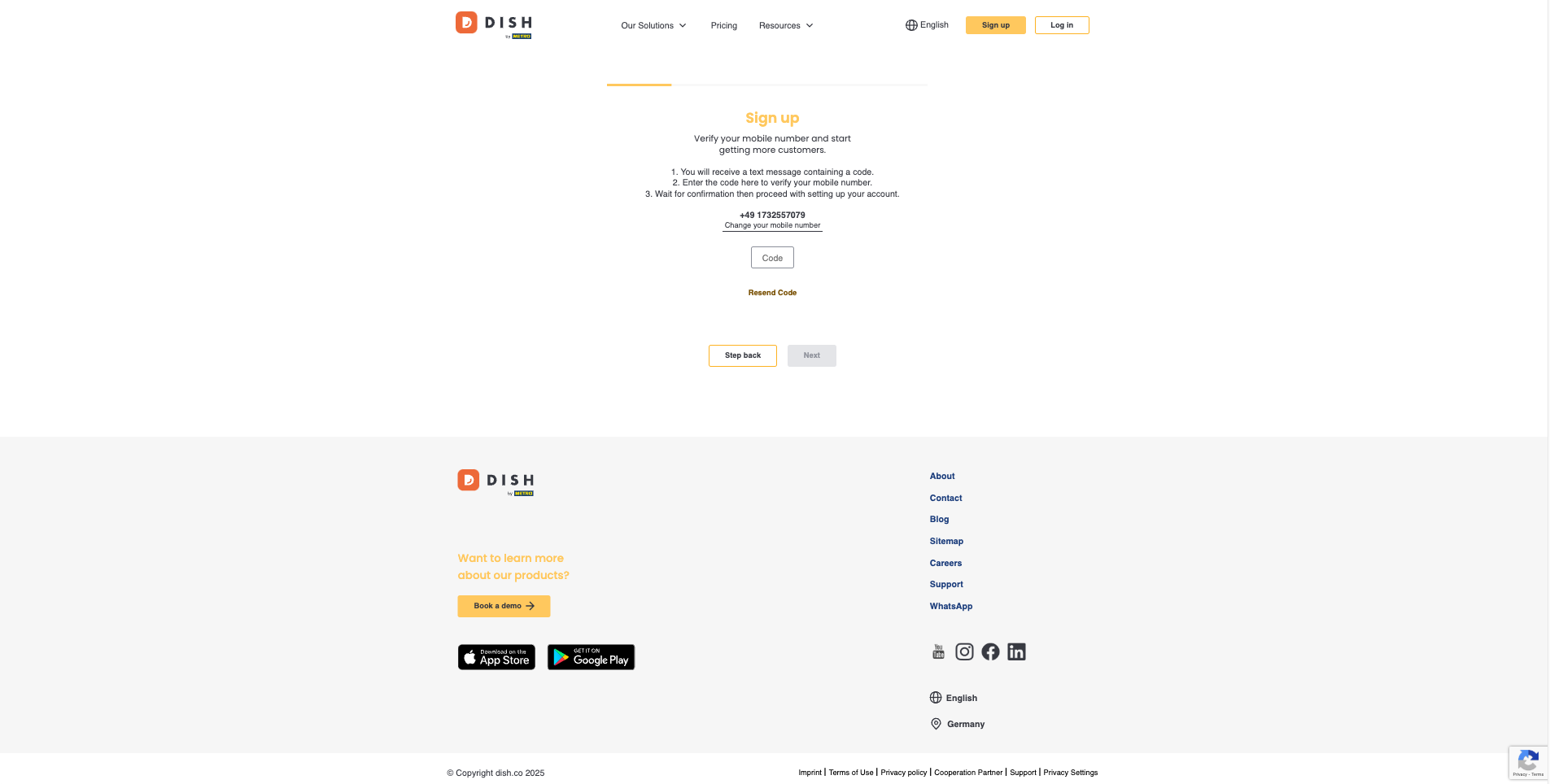
6) Enter the code you have received via your phone number here to verify your mobile number
7) Once entered, click "Next" to proceed
8) Enter your E-mail address
9) Choose your Country from the dropdown menu
10) Choose to accept receiving electronic communication through text messages
11) Once done, click "Next" to proceed

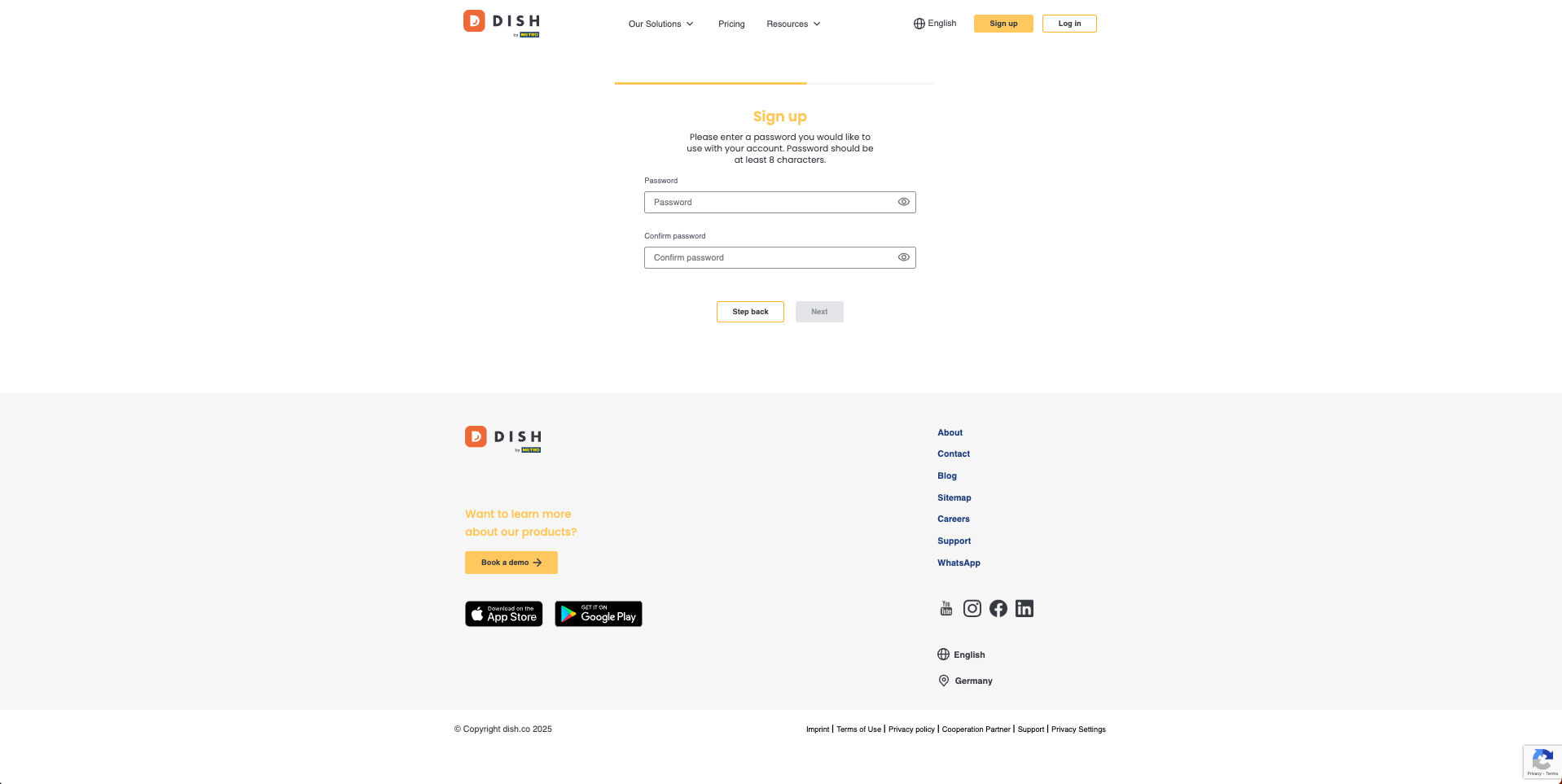
12) Enter a password to use with your account. It should be at least 8 Characters long
13) Confirm the password
14) Once done, click "Next" to proceed
You are done! Congratulations on finishing your DISH account sign up! You can now continue your DISH Pay Now onboarding journey with the next step, "Create your establishment", by clicking here.
FAQ
How long does the DISH Account verification process (also known as KYC (Know-Your-Customer) process take?
Allow about 15 minutes for the DISH Account Verification process. To guarantee a smooth process, we recommend that you carry out this process on a desktop.
Battery consumption of the device: How long will the battery last(hours/day etc.)?
This will vary according to use. The included charging cradle lets you charge the device without having to plug it in and unplug it, and the battery life can last up to 4 hours with frequent unplugged use.
In which format should I upload the documents?
Please follow Step 5 : Upload Company Documents in the guide above to ensure your documents are in the right format.
Why do I need to provide my business information for the account verification process?
As a regulated payment product, DISH Pay Now must comply with legal and regulatory requirements.
Part of this involves collecting business information to verify your identity and ensure compliance with anti-money laundering (AML) and financial regulations.
What documents do I need to provide for the DISH Account verification process (also known as KYC (Know-Your-Customer) process?
You will need to submit the following documents:
A valid form of ID (passport, national ID card, or driver's license).
A bank statement showing your business account details,
Your official business registration document (such as a Certificate of Incorporation or equivalent. Any government-issued document that officially registers your business (e.g., Certificate of Incorporation, VAT registration).).
These documents help confirm your identity and verify that your business is legitimate.
Click here to see an overview for what documents are need.
I received an error message when trying to add an establishment, what should I do?hat should I do?
Please follow the steps indicated in your error message as it will show you where inout might have to be added or adjusted.
🎓 Downloadable PDF
We want your feedback
Your opinion is very important to us. Did you like this tutorial? Was it helpful? Rate it using the emojis down below.